
How Long Does a Temporary Email Last?
A question people actually ask
If you've ever used a temporary email — or you're thinking about using one — there's probably one question on your mind: how long does it actually last?
It makes sense. You don't want to start a signup process only to have your email disappear halfway through. You also don't need it to last forever. You just want to know what to expect.
In this guide, I'll give you a straight answer. No complicated technical talk. Just what you need to know.
So how long do they usually last?
The honest answer is: it depends on the service you're using.
Different providers offer different lifespans. Here's what's common out there:
10 minutes – Very common for quick signups and verification codes
30 minutes – A bit more breathing room
1 hour – Plenty of time for most tasks
Up to 24 hours – Less common, but some services offer this
Most temporary email services fall somewhere between 15 minutes and 1 hour. That might sound short, but for what these emails are designed to do, it's usually more than enough.
How does the expiration actually work?
It's pretty simple.
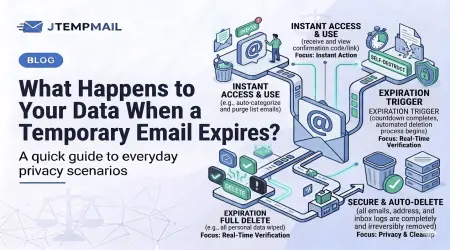
When you generate a temporary email, the service creates a short-lived inbox linked to a random address. That inbox sits there waiting for messages. Once the time runs out, everything disappears — the emails, the address, everything.
This automatic deletion is actually a feature, not a problem. It means:
Your data isn't stored anywhere
No one can access old messages later
Your privacy stays intact
You don't have to remember to delete anything. You don't have to log out. It just handles itself.
Can you make one last longer?
Sometimes yes, sometimes no.
Some providers let you refresh the inbox or extend the time if you keep the page open. Others simply expire when the time is up and that's it.
In our case at jtempmail.com, each address lasts 10 minutes. That's intentional. We keep it short and simple because most people only need a few minutes to receive a verification link or a download code. If you need more time, you can always generate a fresh address.
Why do they expire so quickly?
This is actually the whole point.
Short expiration times protect your privacy. They prevent:
Spam from building up over time
Websites from tracking you long-term
Anyone from accessing old messages
Your identity being linked to that address
A temporary email exists just long enough for you to receive what you need. Nothing more. Then it's gone. That's what makes it different from your regular email.
What happens when it expires?
When the timer runs out, three things happen:
The email address is destroyed
All messages are deleted
The inbox cannot be recovered
There's no "forgot password" option. No customer support ticket to get it back. It's just gone. And that's by design.
If you need another one, you simply generate a new address. Takes two seconds.
When might you need a longer one?
Honestly, 10 minutes is enough for most situations. But there are times when you might want more time:
Testing a website or app that takes a while to send verification emails
Waiting for a confirmation from a slow system
Signing up for a trial that sends multiple emails over time
If you find yourself in these situations regularly, you might want a service with longer lifespans. But for everyday use — quick signups, downloads, and forum registrations — a short-lived email works perfectly.
Some quick answers to common questions
Can I recover a temporary inbox after it expires?
No. Once it's gone, it's gone permanently. That's the whole point.
Can I send emails from a temporary address?
Usually not. Most temporary email services are receive-only. This prevents people from using them for spam.
Are temporary emails safe to use?
For everyday things like signups and downloads, yes. Just don't use them for banking, important personal accounts, or password recovery. Use them for what they're meant for.
Let's sum it up
So how long does a temporary email last? Usually somewhere between 10 minutes and a few hours, depending on which service you use.
They expire quickly for a good reason — to protect your privacy and keep your data from being stored or tracked.
If you just need something fast, simple, and anonymous for a quick signup or download, a 10-minute email works great. No registration. No hassle. Just an address that works and then disappears.
If you want to try it out, jtempmail.com gives you a fresh temporary inbox instantly. No strings attached.