How Temporary Emails Protect You from Spam and Hackers
You know the feeling
You sign up for something online. Nothing important. Maybe a forum, a discount code, or a free ebook. A few hours later, your inbox starts filling up. Newsletters you never asked for. Ads for things you don't want. Sometimes even messages that look suspicious — fake promotions, weird links, or "you've won" scams.
It's annoying. But it's also becoming more common every year.
The good news? There's a simple way to stop it. It's called temporary email. And it might be one of the easiest privacy tools you're not using yet.
Let me explain how it works and why it actually makes a difference.
First, what is a temporary email?
Think of it as a burner email address. It works just like your regular email, but only for a short time — usually a few minutes or a few hours.
You use it to receive messages, confirmation links, or verification codes. Then, when the time runs out, the address disappears. Along with any spam or junk that might have been sent to it.
No registration. No password. No cleanup.
It's perfect for situations where a website asks for your email but you don't really want to give it to them.
How it stops spam from ever reaching you
Here's the thing about spam. Once a website has your real email address, you can't always control what happens next. Some sell your address to advertisers. Some add you to mailing lists without asking. Some just send way too many emails.
A temporary email fixes this at the source.
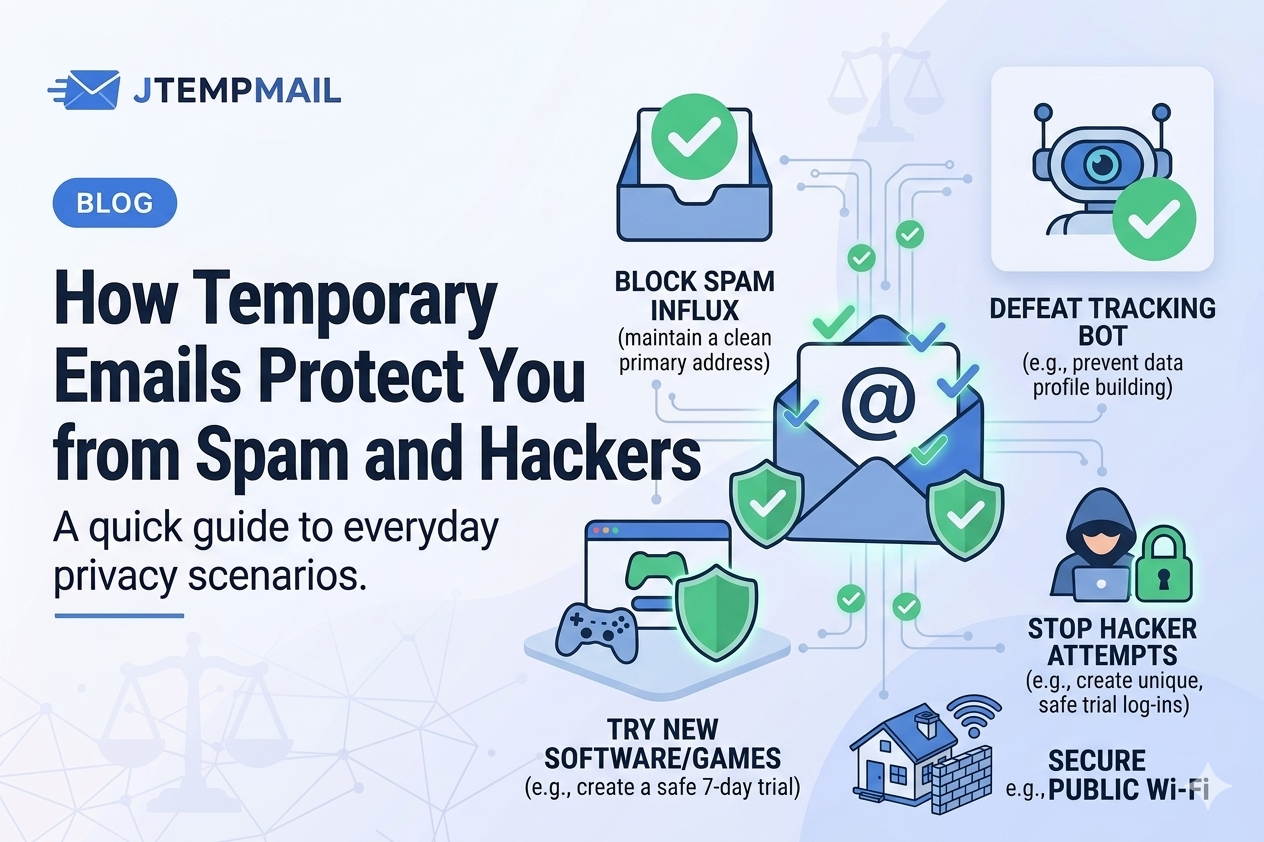
You give the website your temporary address instead of your real one. Any spam, newsletters, or promotions go there — not to your personal inbox. And when that temporary address expires? All those messages disappear with it.
Your real inbox stays clean. No unsubscribe buttons to hunt for. No marking things as spam over and over again.
How it helps protect you from hackers
Hackers love email addresses. Seriously. An email address is often the first thing they need to send phishing messages, fake login attempts, or malware links.
Using a temporary email helps protect you in a few important ways.
You stay anonymous. The website or service never gets your real email address. They have no way to link that signup to your actual identity.
There's nothing to hack. Temporary inboxes delete themselves automatically. If a hacker tries to break into an old temporary inbox? It doesn't exist anymore.
Fewer attack points. The less your real email appears online, the harder it is for scammers to target you. Every time you use a temporary email instead of your real one, you're reducing your risk.
Think of it like wearing a digital mask. You can interact online without showing who you really are.
Everyday situations where this matters
You don't need to be a tech expert to benefit from temporary email. Here are some common situations where it makes sense:
Signing up for public Wi-Fi in cafes or airports. Some networks ask for your email. Give them a temporary one instead.
Entering online contests or giveaways. Many of these exist just to collect email addresses. Use a disposable one.
Testing a software trial. You want to try the app, not get emails for the next six months.
Downloading free resources. Ebooks, PDFs, templates — they almost always ask for an email first.
Signing up for any website you don't fully trust. If you hesitate, that's your cue to use a temporary address.
Each of these situations can expose your real email to spam or worse. A temporary email keeps you protected without slowing you down.
Why jtempmail.com makes this easy
I know what you might be thinking. "This sounds useful, but is it complicated?"
Not at all. With jtempmail.com, you open the website and you instantly have a temporary email address. No buttons to click. No forms to fill out. No waiting.
You copy the address, paste it wherever you need it, and check the inbox for any verification emails. When the 10 minutes are up, everything disappears automatically.
No registration. No personal data. No hassle.
Some questions people ask
Can I use a temporary email for any website?
Most websites accept them just like a normal email. Some very strict services might block temporary email domains, but that's rare for everyday signups.
Is it safe to use for important accounts?
No. And I want to be clear about this. Don't use temporary emails for your bank, your online shopping accounts, or password recovery. Those need your real, permanent email. Use temporary emails for what they're meant for — quick, low-stakes signups.
Does it really stop spam?
Absolutely. Once the temporary inbox expires, it's gone. Any spam sent to that address after that just disappears into nowhere. It never reaches you.
How long does a temporary inbox last?
On jtempmail.com, each address lasts 10 minutes. That's plenty of time for most verifications and signups.
Let's wrap this up
Spam and online scams aren't going away anytime soon. But protecting yourself doesn't have to be complicated or expensive.
Using a temporary email is one of the simplest ways to guard your privacy, keep your real inbox clean, and avoid online traps.
Next time a website asks for your email and you feel that little hesitation — listen to it. Use a temporary email instead.
Try jtempmail.com. It's fast, free, and takes about two seconds.