Real-Life Situations Where You Need a Temporary Email
We've all been there
You're trying to do something simple online. Read an article. Download a recipe. Try a free trial. Get a discount code.
Then comes the pop-up: "Enter your email address."
You hesitate for a second. But you type it in anyway. And then, days or weeks later, your inbox starts filling up with stuff you never asked for. Newsletters. Promotions. Sometimes even spam or weird messages you don't recognize.
It's frustrating. And honestly, it's becoming more common every year.
That's why temporary email — also called trash mail or disposable email — has become such a useful tool in everyday life. It lets you do what you need online without giving away your real email address.
Let me show you five real situations where it can save you a lot of headaches.
1. Signing up for a website you don't fully trust
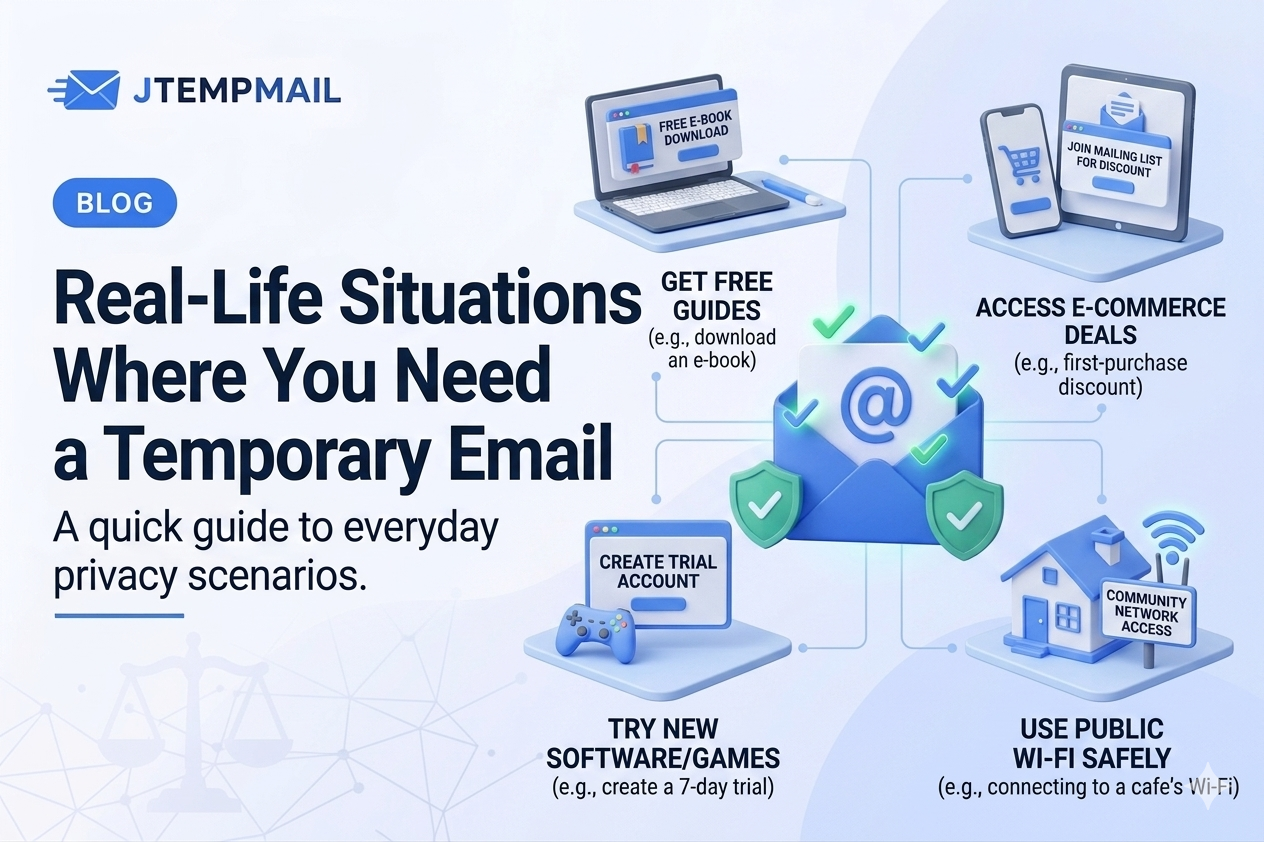
You find a forum that looks interesting. Or a news site that wants your email before letting you read an article. Or a coupon site promising big discounts.
But here's the thing. You have no idea what they'll do with your email after you sign up. Some websites share your address with third parties. Some sell it to advertisers. Some just send you way too many emails.
Instead of using your real email, use a temporary one. You can confirm your account, get what you need, and walk away. No spam later. No unsubscribe buttons to hunt for.
When this helps: Forums, news sites, coupon websites, or any download that asks for an email first.
2. Testing apps or online tools
Maybe you're a developer. Maybe you're just curious about a new app. Either way, you often run into the same problem — the app wants your email before letting you try it.
If you use your real email every time, your inbox quickly fills up with test messages, confirmation links, and "please come back" emails.
A temporary email solves this perfectly. You get the verification code you need, and then the address disappears. No cleanup. No clutter.
When this helps: Software trials, beta testing, demo accounts, or quality assurance work.
3. Getting free trials or discounts without the spam
Everyone loves a good free trial or a discount code. But here's what usually happens after you sign up. The emails keep coming. "Your trial is ending." "Here's a special offer." "We miss you."
Some of these are fine. But after a while, it's just noise.
With a temporary email, you can still get your trial or your discount code. You just won't get the weeks or months of follow-up emails afterward. The address expires, and so does the spam.
When this helps: Streaming service trials, online stores with first-time discounts, giveaways, or contest entries.
4. Shopping on websites you've never used before
You find a small online store selling something you want. The price is good. But you're not sure if you trust them yet.
Smaller websites don't always have strong privacy policies. Some share your data with advertisers. Others have been known to leak customer information.
Using a temporary email for the purchase lets you receive your order confirmation safely. But if that store gets hacked or starts spamming you next month? Your real inbox stays clean.
When this helps: Small eCommerce sites, niche stores, flash sales, or any shop you haven't used before.
5. Using public Wi-Fi in cafes, airports, or hotels
This one surprises a lot of people. Some public Wi-Fi networks ask for your email address before letting you connect. It seems harmless. But that email can be used to track you, send you ads, or even sell your information to third parties.
Instead of typing your real email, use a temporary one. You connect to the Wi-Fi, do what you need, and when the email expires, your data disappears with it. No trace left behind.
When this helps: Travelers, remote workers, coffee shops, airports, hotels, or any public network that asks for an email.
A quick bonus tip
The less your personal email appears online, the harder it is for spammers, hackers, and data brokers to find you. Every time you use a temporary email instead of your real one, you're keeping your main inbox just a little bit safer.
Tools like jtempmail.com make this easy. You get a temporary inbox in one click. No signup. No passwords. No tracking. Just an address that works for 10 minutes and then disappears.
Some questions people ask
Are temporary emails safe to use?
Yes, for situations like these. They're designed for quick, anonymous access. Just don't use them for your bank account or important personal accounts.
How long does a temporary email last?
On jtempmail.com, each address lasts 10 minutes. That's plenty of time for signups, verifications, and confirmations.
Can I reply to emails with a temporary inbox?
Usually not. Most temporary email services are receive-only. That's on purpose — it prevents people from using them for spam or abuse.
Let's wrap this up
A temporary email might seem like a small thing. But it can make a real difference in how much spam you get and how private your main inbox stays.
Next time you're about to share your email and you feel that little hesitation — listen to it. Use a temporary email instead.
Your real inbox will thank you.
Try it at jtempmail.com. Takes two seconds.