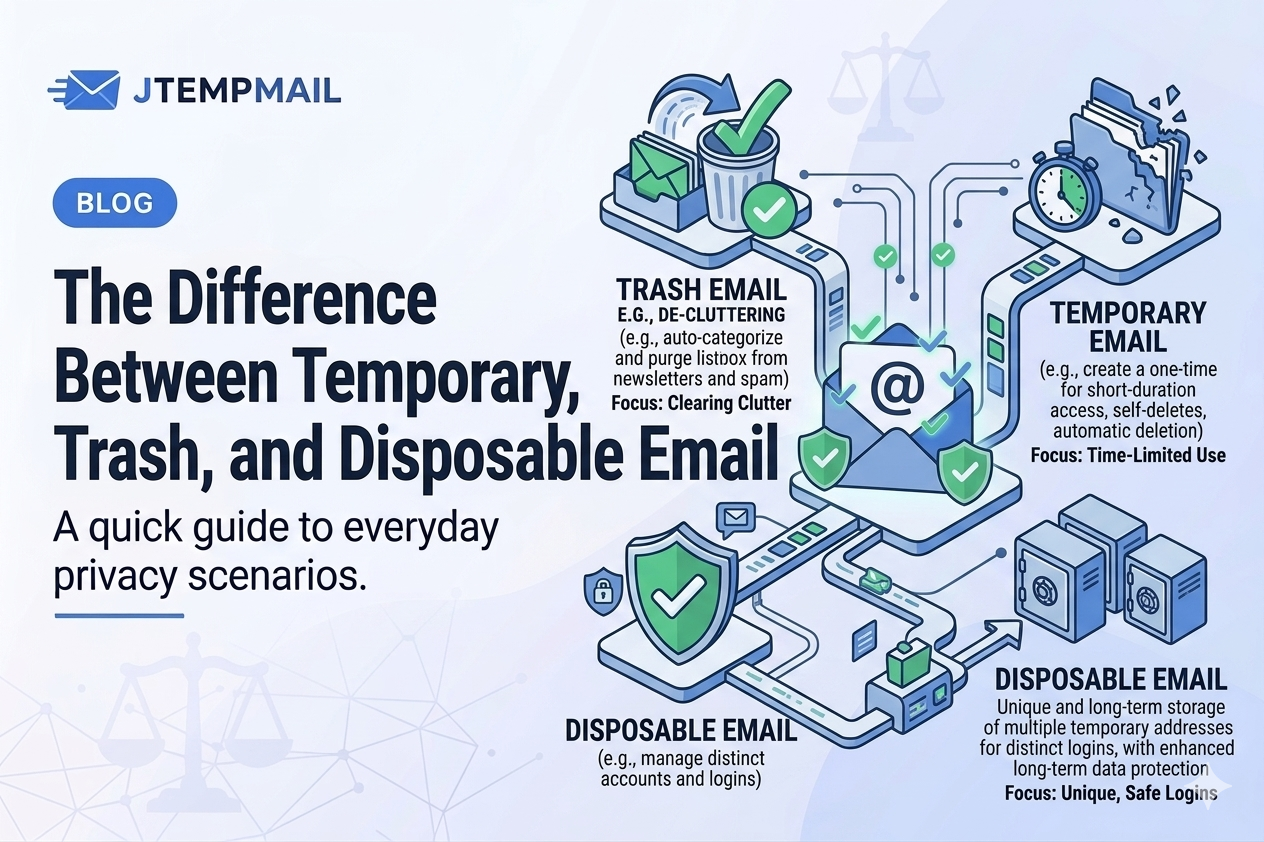
The Difference Between Temporary, Trash, and Disposable Email
Let's clear something up
If you've been looking into ways to protect your email privacy online, you've probably seen a few different terms floating around. Temporary email. Trash mail. Disposable email.
At first glance, they all seem to mean the same thing. And honestly? They're very similar. But there are small differences that might matter depending on what you need.
Let me explain each one in plain language, so you can pick what works best for you.
First, what is a temporary email?
A temporary email is exactly what it sounds like — an email address that only exists for a short time. Usually a few minutes, sometimes up to an hour.
You use it to receive a confirmation link, a verification code, or a download link. Then, when the time runs out, the address disappears. Along with any messages sent to it.
Best for: Quick signups and one-time use.
Example: jtempmail.com gives you an instant inbox that lasts 10 minutes.
No registration. No passwords. No spam later.
What is trash mail?
Trash mail is really just another name for the same idea. Think of it like a paper cup. You use it once, and then you throw it away.
The term "trash mail" emphasizes that this email address is meant to be discarded immediately after use. You receive the one message you needed, and then it's gone. No cleanup. No unsubscribe buttons. No lingering traces.
Best for: Avoiding spam and unwanted newsletters when you only need to receive one thing.
It's not really different from temporary email in function. It's more about the mindset — this address is trash as soon as you're done with it.
What is disposable email?
Now, this one is slightly different. A disposable email usually lasts a bit longer than a temporary one. Sometimes a few hours, sometimes up to a day or two.
You can reuse it to receive multiple messages from the same service if needed. Maybe you're testing an app that sends several confirmation emails. Maybe you're signing up for something that requires a few steps over a couple of hours.
Best for: Testers, developers, or anyone who needs to receive more than one message without using their real email.
Disposable emails give you a little more breathing room than temporary ones, but they still disappear when the time is up.
So which one do you actually need?
Here's a simple way to decide. It doesn't have to be complicated.
Need an email for just a few minutes? Use a temporary email. Most signups and verifications only take a minute or two.
Don't want any trace left behind? Use trash mail. Same thing, really. Just make sure it's one that deletes everything automatically.
Need to receive multiple emails over a few hours? Use a disposable email with a longer lifespan.
The truth is, many services — including jtempmail.com — combine all of these benefits in one simple tool. You get an instant inbox. It lasts 10 minutes. That's enough for most situations. If you need a fresh one, you generate a new address in seconds.
Why use any of them?
No matter what you call it, the goal is the same: keeping your real email address private.
Here's what you gain:
Protection from spam. The website gets a temporary address, not your real one.
A clean inbox. No unwanted newsletters piling up.
Anonymity online. No one links that signup to your identity.
No signup required. You don't need to register or give personal info.
Modern temporary email services make all of this fast and free. No reason not to use one when you need it.
Some questions people ask
Are temporary and disposable emails the same thing?
Not exactly, but they're very close. Temporary emails expire quickly. Disposable ones can last a bit longer. For everyday use, most people don't need to worry about the difference.
Is using trash mail legal?
Yes, completely. It's just a tool for privacy, like using a nickname or browsing in incognito mode. Nothing illegal about protecting your inbox.
Can I send emails from these addresses?
Usually not. Most are receive-only. That's on purpose — it prevents people from using them for spam or abuse.
Will websites know I'm using a temporary email?
Some very strict websites might try to block temporary email domains. But for everyday signups — forums, downloads, newsletters, free trials — most work just fine.
Let's wrap this up
Temporary email, trash mail, disposable email — call it whatever you want. They're all simple tools that help you keep your real inbox clean and your privacy intact.
When you need to sign up for something fast, stay anonymous, and avoid spam, just grab a temporary address and go.